
Import Vimeo Portfolios into WordPress Automatically
Import Vimeo portfolios as structured WordPress content with thumbnails, titles, descriptions and metadata — without manual embedding.
Works with Vimeo portfolios, showcases and folders
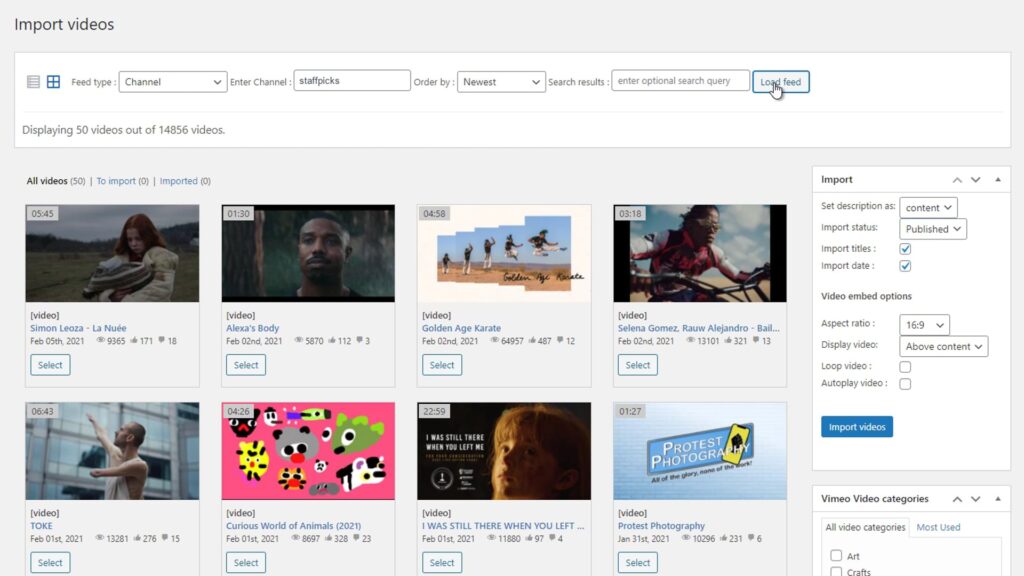
What Is a Vimeo Portfolio?
A Vimeo portfolio is a collection of videos grouped together inside your Vimeo account, similar to folders and showcases.
Portfolios help organize related videos into structured collections that can be imported, managed and displayed inside WordPress.
Problem
Importing Vimeo Portfolios Manually Is Inefficient
Manually importing Vimeo portfolios into WordPress requires copying each video individually and organizing content manually.
As your portfolio grows, this process becomes time-consuming, difficult to maintain and impossible to scale efficiently.
- No bulk import
- No automatic structure
- No synchronization with Vimeo
- Time-consuming workflow
Automatically Import Vimeo Portfolios into WordPress
Vimeotheque allows you to import entire Vimeo portfolios directly into WordPress, automatically creating structured posts with thumbnails, titles and metadata.
- Import full Vimeo portfolios
- Sync portfolio content automatically
- Create structured WordPress posts
- Keep content updated
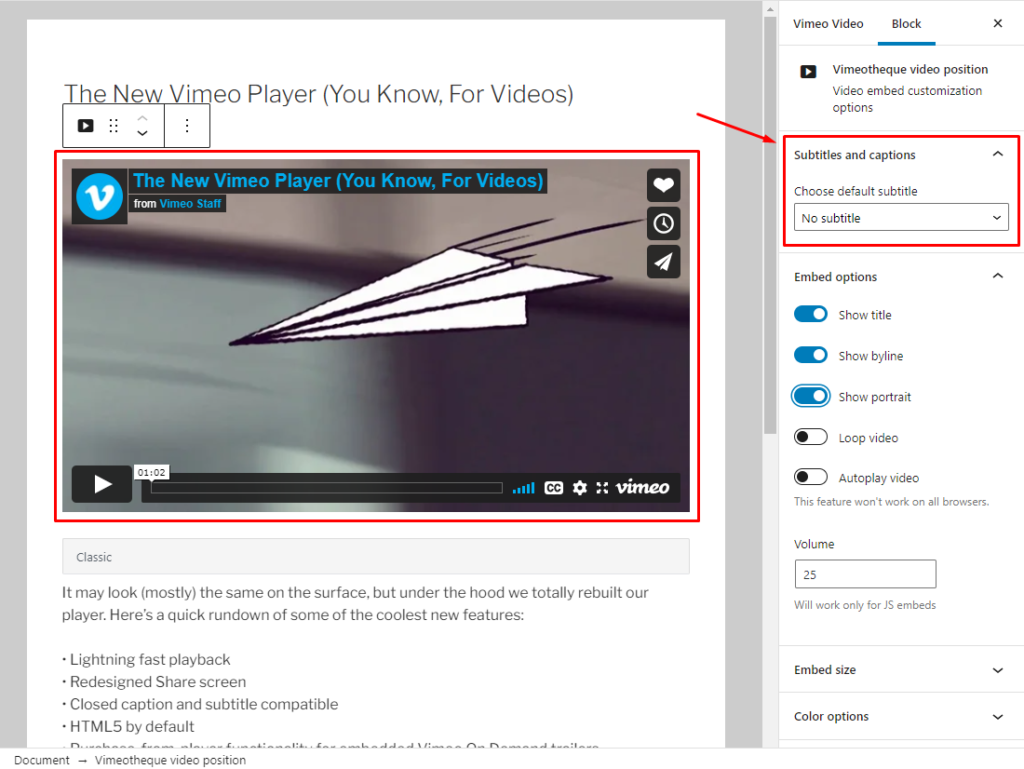
Import and Organize Vimeo Portfolios Easily
Importing Vimeo portfolios into WordPress takes just a few simple steps.
01
Connect your Vimeo account
Authenticate your Vimeo account securely using the API connection built into Vimeotheque.
02
Select Vimeo portfolios to import
Choose the Vimeo portfolio that you want to import directly into your WordPress site.
03
Import and publish automatically
Entire Vimeo portfolios are imported and videos are automatically imported as WordPress posts with thumbnails, metadata and categories.
* No technical setup required. Works with any WordPress theme.
Embedding Vimeo Videos vs Using a WordPress Plugin
Manual Vimeo portfolio import
- Copy and paste embed codes
- No automation or workflow
- No synchronization with Vimeo
- Impossible to scale for large sites
Using Vimeotheque for portfolios
- Import videos automatically
- Sync content with Vimeo
- Import full metadata and thumbnails
- Built for scalable video websites
Frequently Asked Questions About Vimeo Portfolios in WordPress
Here are some common questions about importing Vimeo videos into WordPress and how Vimeotheque simplifies the process.
What is a Vimeo portfolio?
A Vimeo portfolio is a collection of videos grouped together inside Vimeo, similar to folders or showcases, used to organize related content.
Can I import Vimeo portfolios into WordPress?
Yes. Vimeotheque allows you to import entire Vimeo portfolios automatically into WordPress as structured posts with metadata and thumbnails.
How do I import Vimeo portfolios automatically?
You can connect your Vimeo account, select a portfolio and import all videos into WordPress with just a few clicks using Vimeotheque.
Can I sync Vimeo portfolios with WordPress?
Yes. Vimeotheque automatically syncs your Vimeo portfolio content, ensuring new videos and updates are reflected on your website.
What is the difference between Vimeo portfolios, folders and showcases?
Vimeo portfolios, folders and showcases are different ways to organize video collections. Vimeotheque supports importing all of them into WordPress.
Start importing Vimeo portfolios into WordPress today
Automate your video workflow, sync your Vimeo content and build scalable video websites without manual work.