
Use Vimeo Videos for Membership Websites in WordPress
Protect, manage and display private Vimeo videos inside WordPress membership systems without manual embedding.
Works with membership plugins and private Vimeo videos
Problem
Managing Private Vimeo Videos in WordPress Is Difficult
Using Vimeo videos in membership websites requires manual embedding, access control and constant updates.
Managing private private Vimeo videos in WordPress becomes complex as your content grows, especially when working with multiple users or restricted access levels.
- No automation
- Hard to manage private content
- No sync between Vimeo and WordPress
- Difficult to scale
Automatically Manage Private Vimeo Videos in WordPress
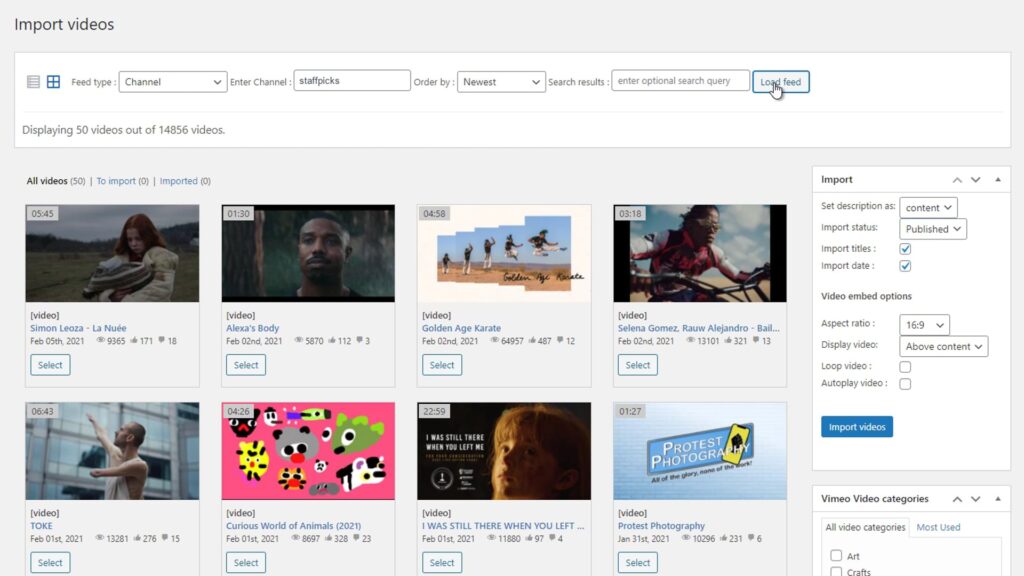
Vimeotheque connects your Vimeo account to WordPress and allows you to import and manage private videos as structured content.
- Import private Vimeo videos in WordPress
- Sync content automatically
- Manage videos as WordPress posts
- Compatible with membership systems
Perfect for Membership and Subscription Websites
Vimeotheque is built for websites that rely on video content and need a scalable way to manage and display it in WordPress.
Works with WordPress Membership Plugins
Vimeotheque integrates with popular WordPress membership and LMS plugins, allowing you to control access to video content easily.
How to Import Vimeo Videos into WordPress
Importing private Vimeo videos into WordPress for membership websites takes just a few simple steps.
01
Connect your Vimeo account
Authenticate your Vimeo account securely using the API connection built into Vimeotheque.
02
Select videos or collections
Choose the videos or collections you want to import directly into your WordPress site.
03
Import and publish automatically
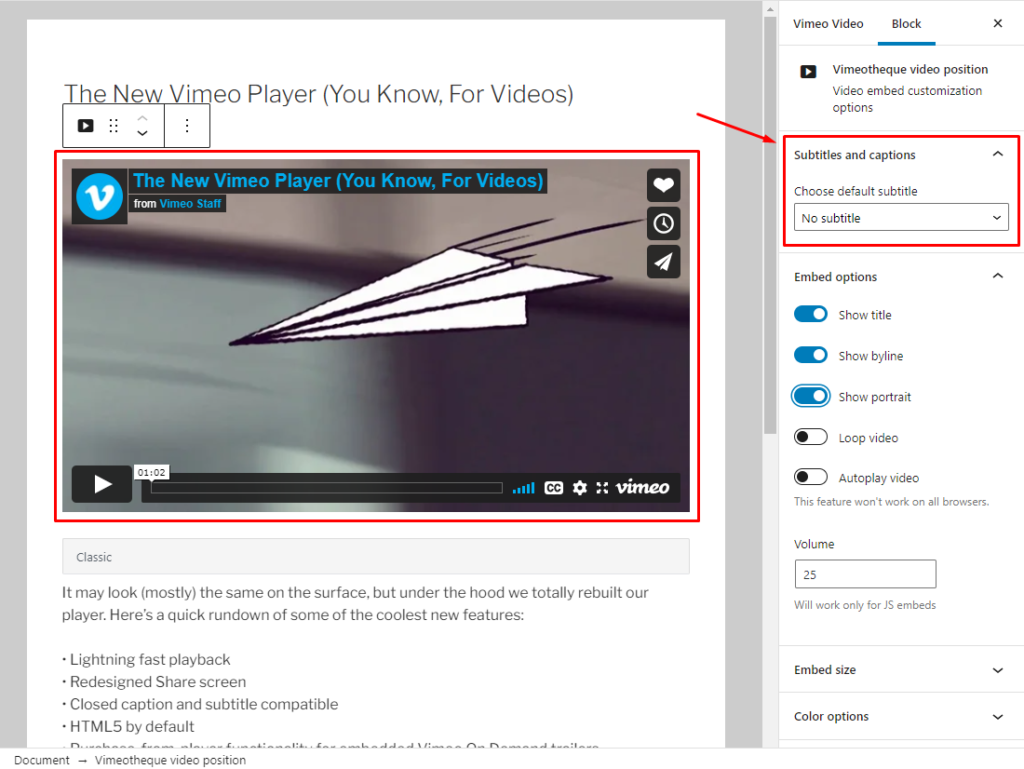
Videos are automatically imported as WordPress posts with thumbnails, metadata and categories.
* No technical setup required. Works with any WordPress theme.
Embedding Vimeo Videos vs Using a WordPress Plugin
Manual private video setup
- Copy and paste embed codes
- No automation or workflow
- No synchronization with Vimeo
- Impossible to scale for large sites
Using Vimeotheque for membership sites
- Import videos automatically
- Sync content with Vimeo
- Import full metadata and thumbnails
- Built for scalable video websites
Frequently Asked Questions About Vimeo Membership Websites
Here are some common questions about importing Vimeo videos into WordPress and how Vimeotheque simplifies the process.
How can I protect Vimeo videos in WordPress?
You can protect Vimeo videos in WordPress by using a plugin that integrates with both Vimeo and membership systems. Vimeotheque allows you to import private videos and control access using WordPress user roles or membership plugins.
Can I use private Vimeo videos for membership websites?
Yes. Vimeotheque supports private Vimeo videos and lets you display them inside restricted areas of your website, making it ideal for membership platforms, online courses and premium content.
Does Vimeotheque work with membership plugins?
Vimeotheque works alongside popular WordPress membership plugins by allowing you to assign imported videos to protected content, ensuring only authorized users can access them.
Can I restrict access to specific videos?
Yes. Since videos are imported as WordPress posts, you can restrict access using membership rules, user roles or custom access control plugins.
Do private Vimeo videos stay secure after import?
Yes. Videos remain hosted on Vimeo and keep their privacy settings, while Vimeotheque manages how they are displayed and accessed within WordPress.
Is this suitable for online courses?
Yes. Vimeotheque is ideal for building video-based courses, allowing you to organize lessons, restrict access and automatically manage video content.
Start building your video membership website today
Automate your video workflow, sync your Vimeo content and build scalable membership video websites without manual work.