
Vimeo WordPress Plugin for Automatic Video Import & Galleries
Import Vimeo videos into WordPress automatically. Create video galleries, showcases, and dynamic video websites without coding.
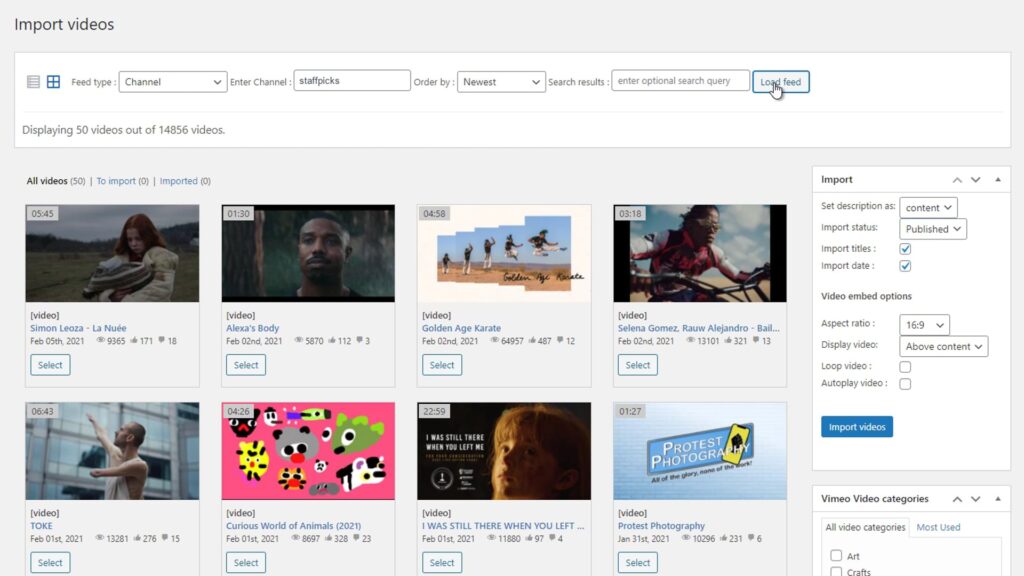
Import Vimeo Videos
Import videos directly from Vimeo and publish them as WordPress posts in seconds.
Manually adding Vimeo videos to WordPress is slow, repetitive and hard to maintain. Each video needs to be embedded, formatted and updated individually.
Vimeotheque automates the entire process. Import videos directly from Vimeo as WordPress posts, complete with thumbnails, titles, descriptions, tags and categories — all in seconds.
Automated Vimeo Import
- Turn Vimeo videos into WordPress posts automatically
- Import thumbnails, titles and descriptions instantly
- Sync entire channels and folders
- No manual embedding or copy-paste
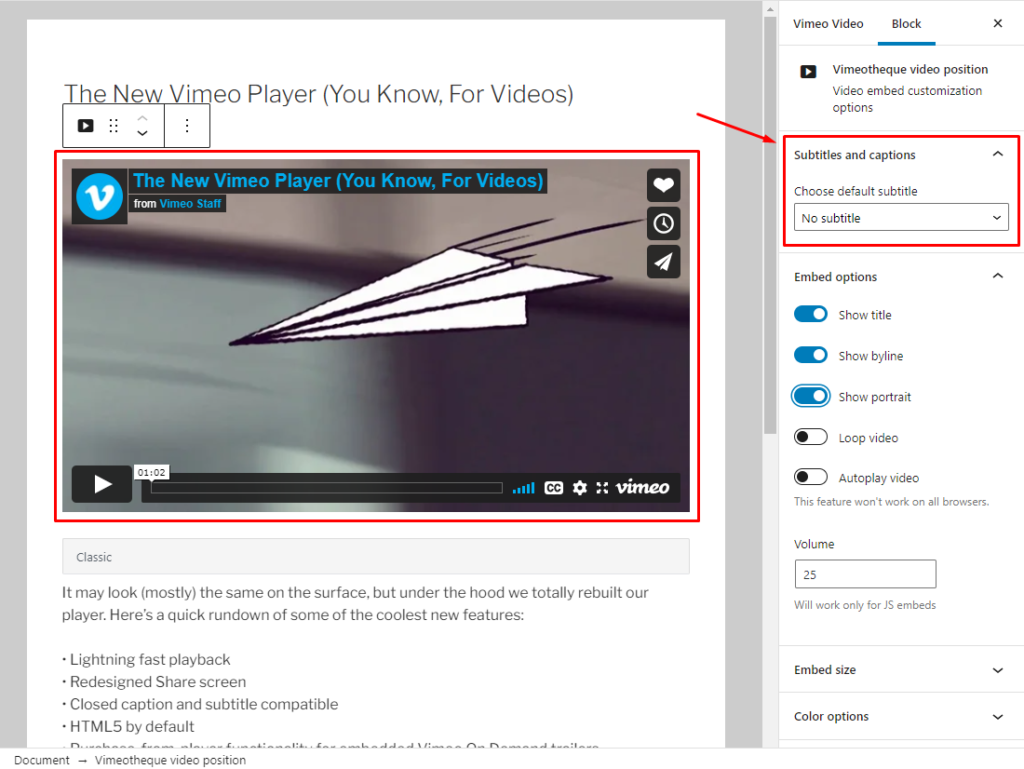
Turn Vimeo Videos into WordPress Posts
Instead of manually embedding videos, Vimeotheque transforms each Vimeo video into a fully structured WordPress post.
This means your video content becomes searchable, organized and ready to build video libraries, playlists or entire websites.
- Each video becomes a WordPress post automatically
- Titles, thumbnails and descriptions imported instantly
- Fully indexable for SEO
- Assign categories, tags and custom taxonomies
- Compatible with most WordPress themes and Elementor builder
Create Video Galleries and Playlists in WordPress

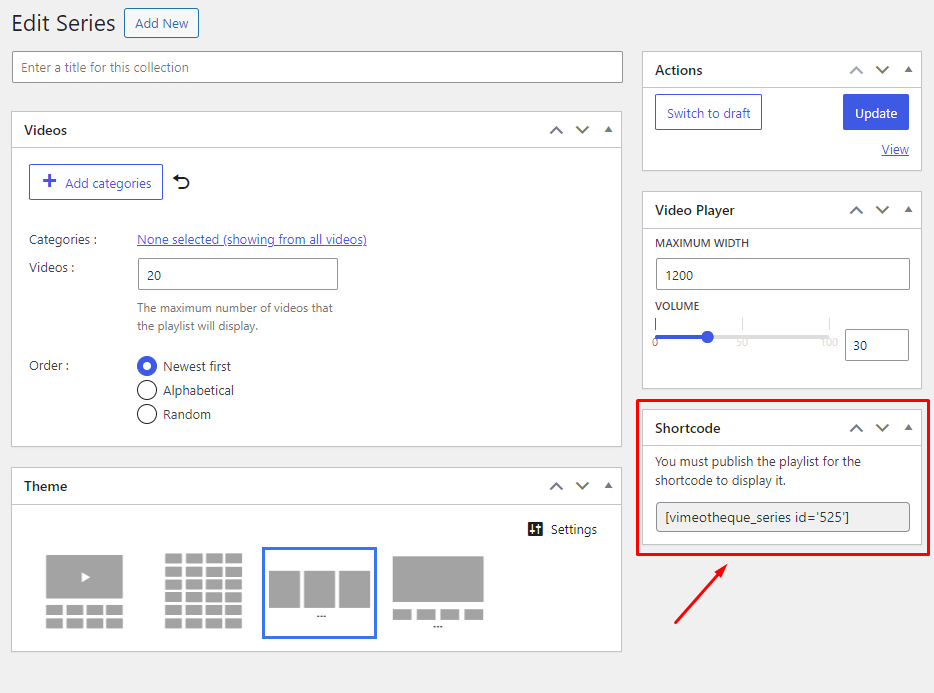
Vimeotheque lets you automatically generate video galleries and playlists from imported Vimeo videos, using WordPress posts, categories and custom layouts.
You can create video grids, playlists and series that update automatically as new content is imported or synced.
- Create video galleries from imported Vimeo videos
- Build playlists and video series easily
- Use categories and taxonomies for organization
- Automatically update galleries when new videos are added
- Fully compatible with any WordPress theme or builder
Automatically Sync Vimeo and WordPress
A good Vimeo WordPress plugin should not only import videos once, but keep your content updated automatically. Without synchronization, new videos, updates or changes in Vimeo require manual work.
Vimeotheque automatically syncs your Vimeo content with WordPress, ensuring that new videos, titles, thumbnails and metadata are always up to date.
This allows you to maintain a dynamic video website without constantly re-importing or updating content manually.
- Automatically detect new Vimeo videos
- Update titles, thumbnails and descriptions
- Sync entire folders, showcases and channels
- No need to re-import content manually
- Keep your website always up to date
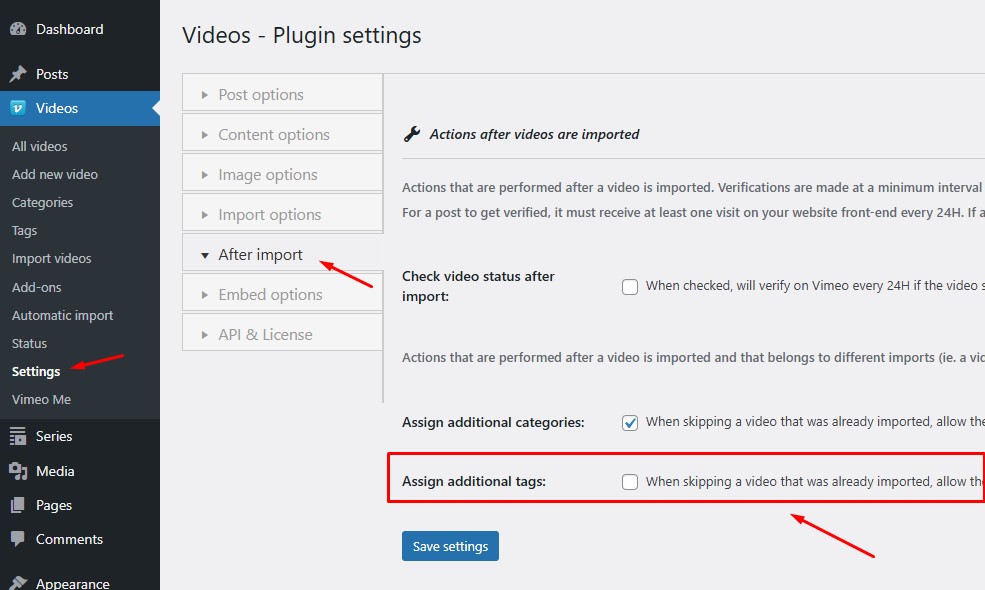
Import Vimeo Folders, Showcases and Portfolios into WordPress
Managing Vimeo videos at scale requires structure.
Instead of importing videos one by one, Vimeotheque lets you import entire Vimeo collections – including folders, showcases and portfolios – directly into WordPress.
- Import entire video collections in one click
- Keep videos organized automatically
- Sync changes from Vimeo to WordPress
- No manual embedding or copy-paste
Import Vimeo Folders
Automatically import all videos from Vimeo folders and organize them as WordPress posts, categories or video collections.
Import Vimeo Showcases
Sync Vimeo showcases and turn them into dynamic video galleries or playlists inside WordPress.
Import Vimeo Portfolios
Import Vimeo portfolios and automatically publish videos with full metadata, thumbnails and descriptions.
What Is a Vimeo WordPress Plugin?
A Vimeo WordPress plugin allows you to import, manage and display Vimeo videos directly on your website without manually embedding each video.
Instead of copying embed codes, the plugin connects to the Vimeo API.
It automatically imports videos, thumbnails, titles and metadata into WordPress.
This makes it possible to build video galleries, playlists and content-driven websites using Vimeo as your video source.
- Import Vimeo videos automatically
- Convert videos into WordPress posts
- Create galleries and playlists
- Sync content with Vimeo
- Manage video content at scale
Embedding Vimeo Videos vs Using a WordPress Plugin
Not all Vimeo integrations are the same. Here’s the difference between manual embedding and using a dedicated Vimeo WordPress plugin.
Manual Vimeo Embed
- Copy & paste embed codes
- No content structure
- Not SEO-friendly
- No automatic updates
- Difficult to manage at scale
Vimeo WordPress Plugin
- Import videos automatically
- Structured WordPress content
- SEO-friendly video pages
- Sync with Vimeo
- Scalable video libraries
Stop embedding videos manually. Build a scalable video website instead.
Free version available. No risk.
Vimeo WordPress Integrations & Add-ons
Works with Popular WordPress Themes
BuddyBoss Theme Integration
Build video communities with Vimeo-powered content.
Vlog Theme Integration
VideoPro Theme Integration
Vlogger Theme Integration
JNews Theme Integration
Flatsome Theme Integration
Works with Any WordPress Theme
Powerful Add-ons for Advanced Video Websites
Unlock advanced features with Vimeotheque Pro.
PRO
Elementor Integration
PRO
LearnDash Integration
PRO
Membership Integration
PRO
Vimeo Subtitles
PRO
User Permissions
PRO