
Embedding Vimeo Videos vs Importing Them into WordPress
Understand the difference between embedding Vimeo and using the Vimeotheque plugin to import videos as structured WordPress posts.
Make the right choice for your workflow and SEO
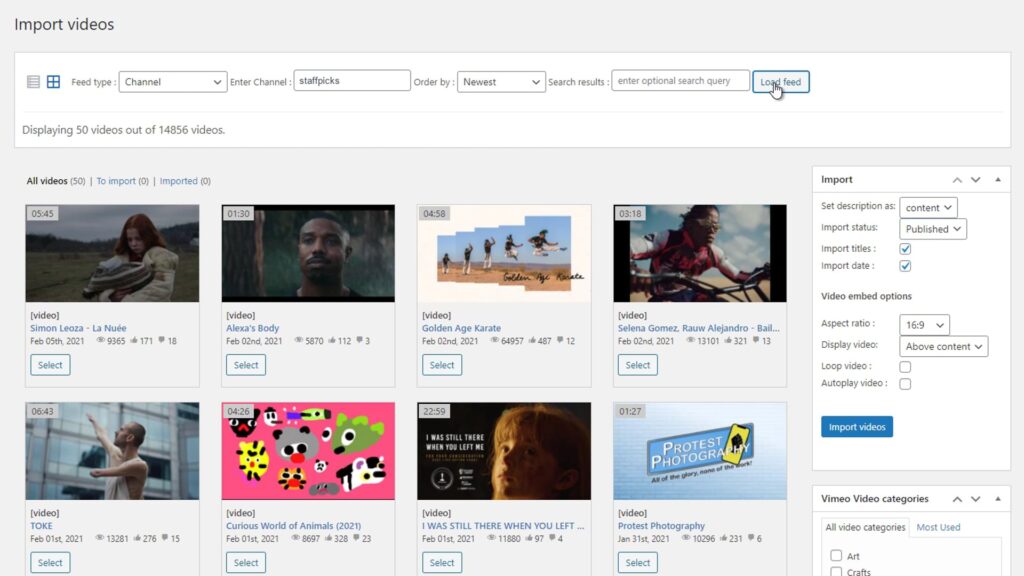
Problem
Embedding Vimeo Videos Is Not the Same as Importing Them
Many WordPress users embed Vimeo videos by pasting a URL or using an oEmbed shortcode. This creates a playable video on the page, but it does not create a WordPress post, store metadata or connect to the Vimeo API.
For sites that publish video content at scale, embedding alone is not a sustainable or SEO-friendly workflow.
- Embed codes do not create WordPress posts
- No metadata stored in the WordPress database
- No sync when Vimeo content is updated
- No SEO benefit from simple embeds
Why Importing Vimeo Videos Outperforms Embedding
Importing creates a structured WordPress post for each video — with a URL, metadata, thumbnail and full SEO potential.
Vimeo import via Vimeotheque stores video data in WordPress, enables auto-sync and makes videos searchable. Embedded videos leave no content footprint in WordPress and cannot be managed at scale.
- Import: creates a real WordPress post with a URL
- Import: stores metadata for SEO and search
- Import: supports auto-sync with Vimeo
- Embed: no post, no metadata, no sync
What Happens When You Import vs Embed
The import process creates a structured content record that embedding simply cannot replicate.
01
Embedding: paste and forget
Pasting a Vimeo URL creates a playable embed. No WordPress post is created, no metadata is stored, and no sync is possible.
02
Importing: structured WordPress content
Importing via Vimeotheque creates a WordPress post with title, description, thumbnail and a unique URL for each video.
03
Import + sync: automated content management
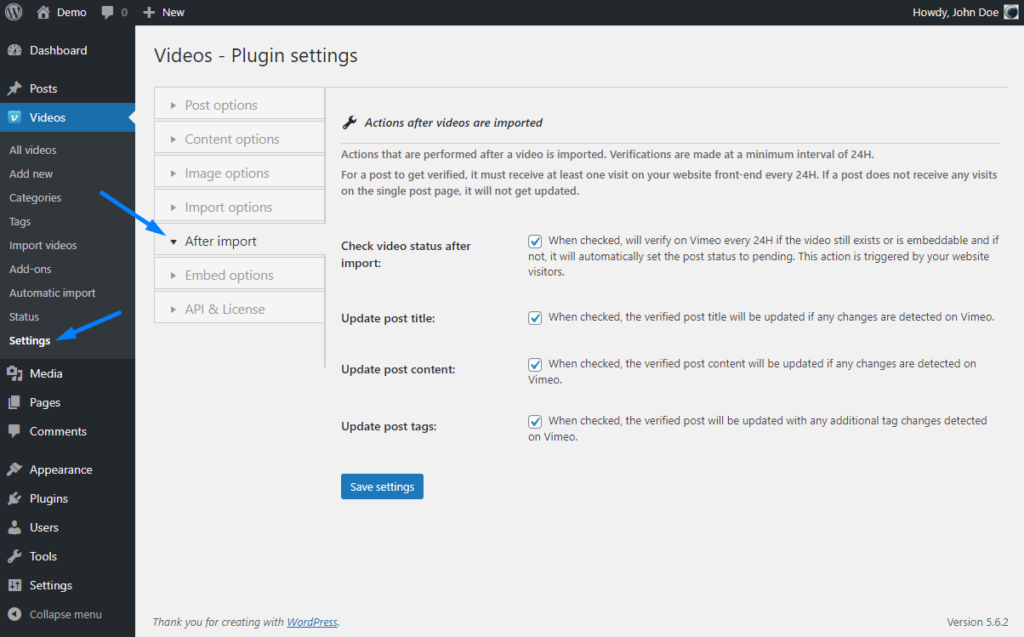
With auto-sync enabled, new Vimeo videos are imported automatically and existing posts are updated when Vimeo content changes.
* Import creates real WordPress content. Embedding creates a display element only.
When to Import Instead of Embed
Importing is the right choice for any site that publishes video content regularly and cares about SEO and scalability.
SEO-driven video content sites
Import Vimeo videos as posts to create indexable content that ranks in search results. Embeds provide no SEO value.
Large video libraries
Import and manage a Vimeo library of any size in WordPress without manual effort. Embedding does not scale.
Membership and course sites
Control who can view which videos using WordPress access rules applied to imported posts.
Advantages of Import Over Embedding
Importing Vimeo videos into WordPress unlocks capabilities that simple embedding cannot provide.
- Unique URL for each video post
- Full metadata stored in WordPress
- Auto-sync with Vimeo on a schedule
- Compatible with membership and LMS plugins
Vimeo Embedding vs Vimeo Importing Side by Side
Embedding Vimeo videos
- No WordPress post created
- No metadata in the database
- No sync when Vimeo is updated
- No SEO benefit
Importing with Vimeotheque
- Structured WordPress post per video
- Full metadata imported from Vimeo
- Auto-sync keeps content current
- SEO-friendly video URLs
FAQ: Embedding vs Importing Vimeo Videos in WordPress
Common questions about the difference between embedding and importing Vimeo videos in WordPress.
What is the difference between embedding and importing a Vimeo video?
Embedding adds a playable video to a page using an embed code. Importing via Vimeotheque creates a WordPress post for each video with metadata, a thumbnail and a unique URL.
Is embedding or importing better for SEO?
Importing is significantly better for SEO. Imported videos create indexable WordPress posts. Embeds add no content to the page that search engines can meaningfully index.
Can embedded videos be converted to imported posts?
Not directly. You would need to import each video using Vimeotheque to create structured WordPress posts. The embedding can then be removed.
Does importing Vimeo videos slow down my WordPress site?
No. Imported videos are stored as WordPress posts and streamed from Vimeo. The import process runs in the background and does not affect front-end performance.
Stop Embedding. Start Importing Vimeo Videos into WordPress
Create structured, SEO-friendly WordPress posts from Vimeo videos automatically with Vimeotheque.
Import creates real WordPress content. Embeds do not.