
Using Vimeo with the JNews WordPress Theme
Import and display Vimeo videos on your JNews-powered site automatically using the Vimeotheque plugin.
Compatible with JNews • Auto-sync and gallery support
Problem
JNews Does Not Include a Native Vimeo Import Workflow
JNews is a feature-rich news and magazine theme, but it does not provide tools for importing or syncing Vimeo video libraries. Videos must be added manually using embed codes.
For JNews sites that rely heavily on video content, this manual approach does not support the dynamic, frequently updated content model JNews is designed for.
- No native Vimeo import in JNews
- Manual embedding for each video
- No auto-sync with Vimeo account
- Hard to build dynamic video sections in JNews
Add Dynamic Vimeo Video Import to Your JNews Site
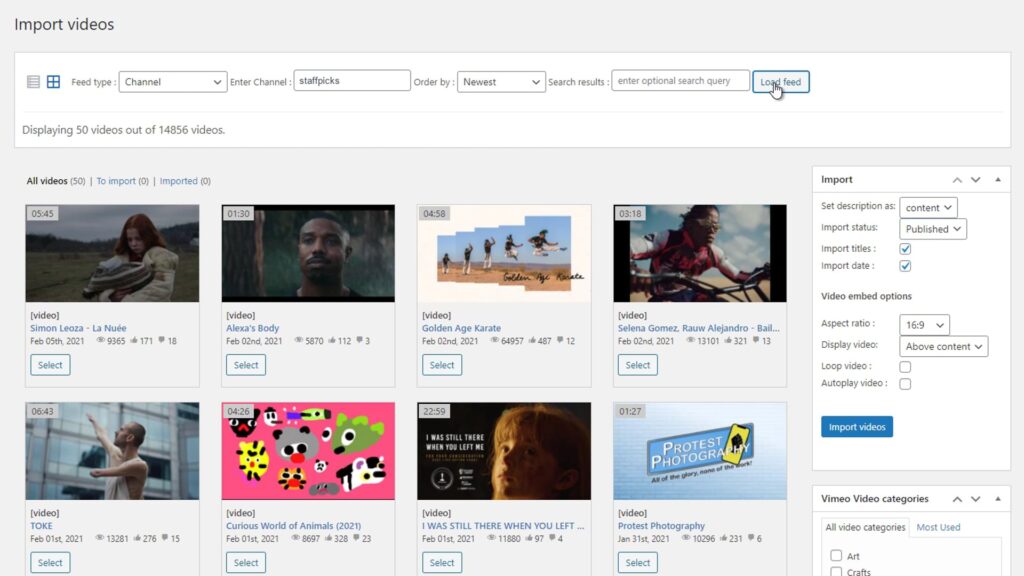
Vimeotheque imports Vimeo videos as structured WordPress posts that work natively with JNews article and video layouts.
Imported posts integrate with JNews article grids and video gallery sections. Use auto-sync to keep your JNews video sections updated automatically without editorial intervention.
- Import Vimeo videos as JNews-compatible posts
- Display in JNews article grids and video sections
- Sync new Vimeo content automatically
- Build dynamic video magazine layouts
How Vimeotheque Works with the JNews Theme
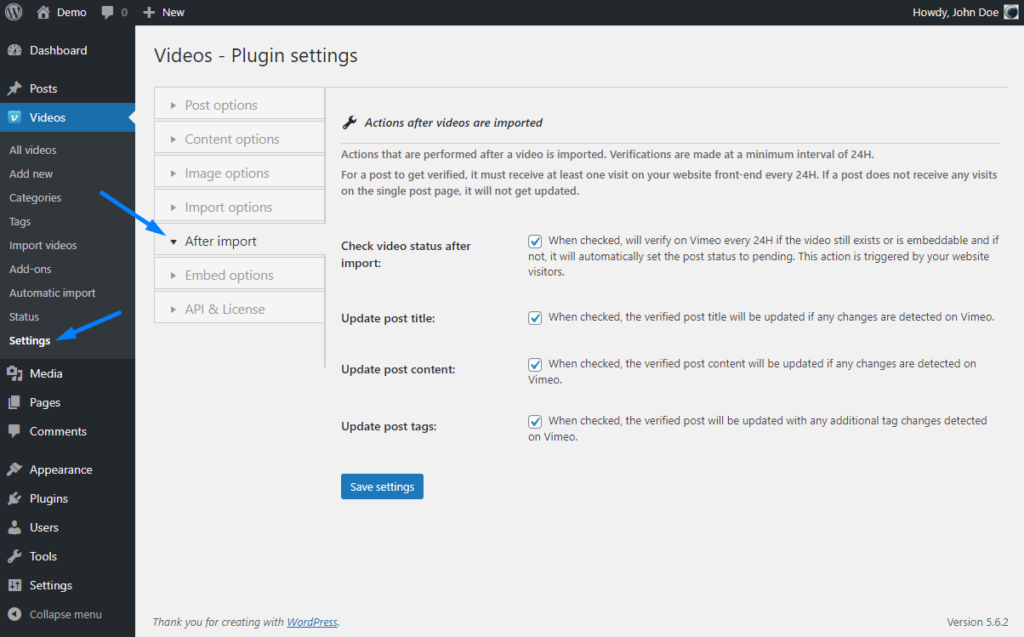
Vimeotheque imports Vimeo content into WordPress where JNews can display it across its layout blocks and sections.
01
Connect your Vimeo account
Authenticate Vimeotheque with your Vimeo account to start pulling video content into your JNews site.
02
Import as structured posts
Vimeo videos become WordPress posts with full metadata, ready for JNews article and video layout blocks.
03
Keep JNews content fresh automatically
Auto-sync imports new Vimeo videos on a schedule so your JNews video sections stay current without manual updates.
* Vimeotheque works with any WordPress theme, including JNews and all magazine-style themes.
JNews Use Cases with Vimeo Integration
Vimeotheque enables scalable Vimeo video management on JNews magazine and news sites.
Video news sections
Populate JNews video layout blocks automatically with imported Vimeo news and editorial content.
Sports and entertainment coverage
Keep JNews sports or entertainment sections current with auto-synced Vimeo event and highlight content.
Documentary and video features
Build a documentary or long-form video section on JNews using automatically imported Vimeo content.
What Vimeotheque Adds to JNews Sites
Vimeotheque gives JNews a complete Vimeo video import and management workflow without any custom code.
- Structured Vimeo posts for JNews layouts
- Auto-sync for dynamic content
- Full metadata on every post
- Gallery and playlist compatibility
Manual Vimeo Embedding vs Vimeotheque for JNews
Manual embedding in JNews
- Embed each video individually
- No post structure or auto-update
- No connection to Vimeo account
- Editorial bottleneck at scale
Using Vimeotheque with JNews
- Import full libraries automatically
- Structured posts for JNews layouts
- Auto-sync keeps content current
- Scale without editorial bottlenecks
FAQ: Using Vimeo with the JNews WordPress Theme
Common questions about importing and displaying Vimeo videos on JNews WordPress sites.
Is Vimeotheque compatible with JNews?
Yes. Vimeotheque imports Vimeo videos as standard WordPress posts, which are compatible with all JNews layout blocks and article grids.
Can auto-sync keep my JNews video sections fresh?
Yes. Auto-sync imports new Vimeo content on a schedule, keeping your JNews video sections updated without manual intervention.
Can I display imported Vimeo posts in JNews grid layouts?
Yes. Imported posts work with JNews article and video grid layouts using standard WordPress post queries.
Does Vimeotheque support JNews video categories?
Yes. Vimeotheque can assign categories and tags to imported posts, which JNews uses for filtering and layout assignment.
Power Your JNews Site with Dynamic Vimeo Video Content
Import Vimeo videos automatically and display them across JNews layouts without manual embedding.
Works with JNews and all standard WordPress magazine themes.