
Using Vimeo with the Vlogger WordPress Theme
Import Vimeo videos into your Vlogger theme site automatically using the Vimeotheque plugin.
Compatible with Vlogger theme • Auto-sync included
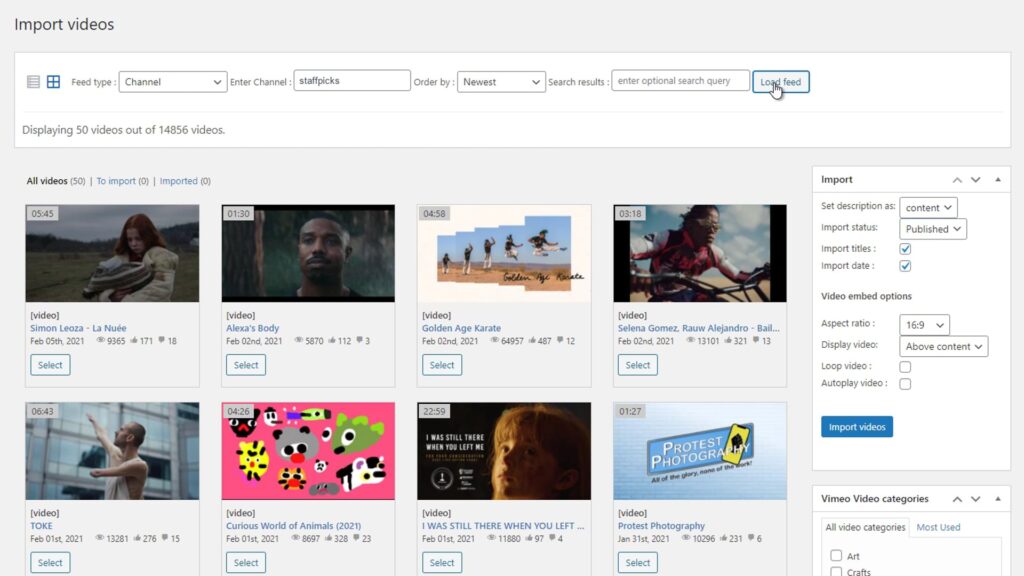
Problem
The Vlogger Theme Requires Manual Work to Manage Vimeo Content
The Vlogger theme is built for video content, but there is no native Vimeo import feature. Adding Vimeo videos as structured posts requires a dedicated import tool.
Manual embedding does not take advantage of the Vlogger theme structured post format and does not scale.
- No native Vimeo import in Vlogger theme
- Manual embedding bypasses post structure
- No auto-sync for new Vimeo uploads
- Difficult to manage large video libraries
Add Automated Vimeo Import to Your Vlogger Theme Site
Vimeotheque imports Vimeo videos as structured WordPress posts that integrate natively with the Vlogger theme.
Posts are created with full Vimeo metadata and are immediately ready for Vlogger theme display. Use auto-sync to keep your library current and folder imports to organize content by series or category.
- Import Vimeo videos as structured WordPress posts
- Display in Vlogger theme layouts automatically
- Sync new videos from Vimeo automatically
- Scale your video library without manual work
How Vimeotheque Works with the Vlogger Theme
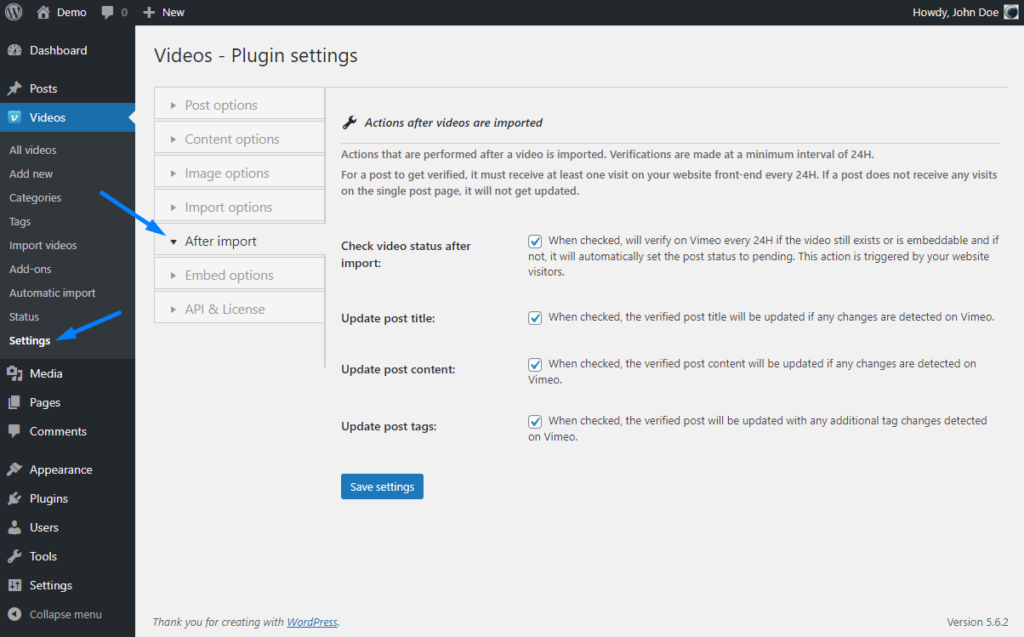
Vimeotheque handles Vimeo import and sync so your Vlogger theme site stays populated with fresh content.
01
Connect Vimeo to your site
Authenticate Vimeotheque with your Vimeo account and start pulling videos into your Vlogger theme site.
02
Import as structured posts
Videos are imported as WordPress posts with thumbnails and metadata, ready for Vlogger theme post layouts.
03
Auto-publish new uploads
New Vimeo videos are published to your Vlogger theme site automatically via the auto-sync scheduler.
* Vimeotheque is compatible with any WordPress theme, including Vlogger.
Vlogger Theme Use Cases with Vimeo
Vimeotheque enables professional Vimeo video management on Vlogger theme sites of any size.
Video content creators
Automatically import Vimeo content as structured posts on your Vlogger theme site.
Sports and fitness channels
Keep a Vlogger theme fitness or sports channel current with auto-synced Vimeo workout content.
Tutorial and how-to channels
Build a structured tutorial library on Vlogger theme using Vimeotheque automatic import.
What Vimeotheque Adds to Vlogger Theme Sites
Vimeotheque provides a complete Vimeo import and management workflow for Vlogger theme WordPress sites.
- Structured posts for Vlogger layouts
- Auto-sync with Vimeo account
- Thumbnail import as featured images
- Category and tag organization
Manual Vimeo Embedding vs Vimeotheque for Vlogger Theme
Manual approach
- Embed each video individually
- No Vlogger-compatible post structure
- Manual metadata entry
- Does not scale
Using Vimeotheque
- Import full Vimeo library automatically
- Structured posts for Vlogger theme
- Metadata from Vimeo on every post
- Auto-publish new videos
FAQ: Using Vimeo with the Vlogger WordPress Theme
Common questions about Vimeo video import on Vlogger theme WordPress sites.
Is Vimeotheque compatible with the Vlogger theme?
Yes. Vimeotheque imports Vimeo videos as standard WordPress posts, which are compatible with the Vlogger theme.
Does auto-sync work with Vlogger theme?
Yes. Auto-sync works independently of the theme and publishes new Vimeo videos automatically.
Are thumbnails imported for Vlogger theme posts?
Yes. Vimeotheque imports Vimeo thumbnails as featured images on each WordPress post.
Can I organize content by Vimeo folder on Vlogger theme?
Yes. Use folder imports to organize your Vlogger theme posts by Vimeo collection or series.
Build a Scalable Video Site on Vlogger Theme with Vimeo
Import Vimeo videos automatically and display them on your Vlogger theme site without manual embedding.
Works with Vlogger theme and standard WordPress post formats.