
There are multiple ways to display Vimeo videos in WordPress, and the right method depends on whether you need a single video on a page or a scalable, structured video library. This guide covers each approach and explains when to use the Vimeotheque plugin to go beyond basic embedding.
The Difference Between Embedding and Importing
Pasting a Vimeo URL into a WordPress page or post embeds the video player directly. This works for one-off uses but does not scale. Each embed is a static, isolated element. There are no categories, no tags, no thumbnails in archive pages, and no way to build dynamic galleries or playlists from embedded videos.
Importing with Vimeotheque is different. Each video becomes a full WordPress post with structured metadata. This opens up every WordPress display capability: archives, category pages, search results, related posts, dynamic galleries, and playlists — all without additional configuration per video.
Method 1: Individual Video Post
After importing Vimeo videos into WordPress, each video has its own post page with the Vimeo player automatically embedded. The video plays within your site’s layout. You control the page template, the surrounding content, the sidebar, related posts, and comments.
This is the baseline display method and works with any WordPress theme without any additional configuration.
Method 2: Video Gallery
Vimeotheque provides a gallery shortcode and Gutenberg block that pulls imported video posts and displays them in a configurable grid layout. The WordPress video gallery can be filtered by category, tag, or custom criteria. When a user clicks a gallery item, they are taken to the individual video post.

Method 3: Video Playlist
The video playlist builder in Vimeotheque displays a list of imported video posts alongside a player. Selecting a video from the playlist loads it in the player without a page reload, creating a continuous viewing experience. This is suited for course content, event recordings, or any sequential video series.
Method 4: Elementor Integration
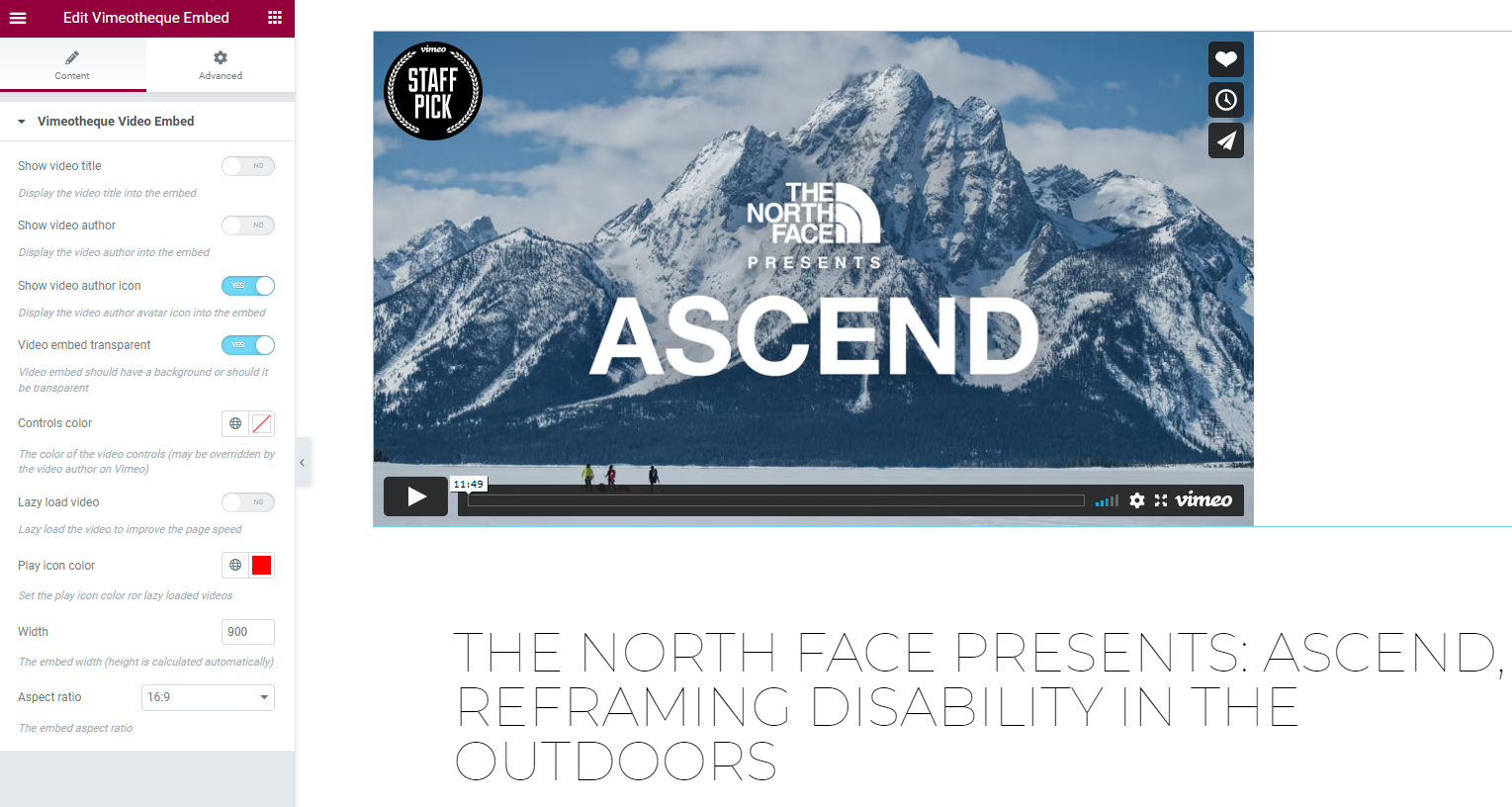
For sites built with Elementor, Vimeotheque provides widgets that give you full drag-and-drop control over video layouts. Use the Vimeo Elementor integration to build custom video grid sections, hero video areas, and featured video modules using Elementor’s visual editor.
Method 5: Shortcode Embedding in Any Post or Page
Individual imported videos can be embedded in any WordPress post or page using the Vimeotheque shortcode. This is useful when you want to feature a specific video within a longer article or a landing page without linking away to the video’s own post.
[cvm_video id="VIDEO_POST_ID" volume="45" width="900" aspect_ratio="16x9" loop="0" autoplay="0"]Frequently Asked Questions
Do I need Vimeotheque PRO to display video galleries?
Basic gallery functionality using the shortcode is available in the free version of Vimeotheque. Advanced playlist themes, custom gallery layouts, and Elementor widgets are available in Vimeotheque PRO.
Can I display videos from a specific Vimeo folder or showcase as a gallery?
After importing the folder or showcase with Vimeotheque PRO, assign the imported posts to a specific WordPress category. Then use the gallery shortcode with that category parameter to display them as a dynamic gallery.
Will my video galleries update automatically when I add new videos?
Yes, if you use the automatic importer. New videos added to your Vimeo collection are imported automatically on a schedule. Because galleries pull from WordPress post queries dynamically, newly imported videos appear in galleries without any manual update.
Can I control the size and aspect ratio of the embedded video player?
Yes. Vimeotheque allows you to set the embed aspect ratio and player dimensions globally in settings, or override them per-post. These settings apply to all display methods including galleries and playlists.
Is it possible to display Vimeo videos in a WooCommerce or LMS page?
Yes. Because Vimeotheque video posts are standard WordPress posts, they can be referenced, linked to, or embedded in WooCommerce product pages or LMS lesson pages using standard WordPress mechanisms or the Vimeotheque shortcode.
Import your Vimeo videos and start displaying them in WordPress →