
Import Your Vimeo Account Videos into WordPress
Batch import all videos from your personal Vimeo account directly into WordPress using the Vimeotheque plugin — no manual embedding required.
Import your full Vimeo library • Works with any account type
Problem
Importing Your Full Vimeo Video Library Manually Is Impractical
When you have dozens or hundreds of videos on your Vimeo account, importing them one by one into WordPress is not feasible. Each video requires a separate embed, custom post and manual metadata entry.
There is no scalable manual workflow for migrating a large Vimeo library into WordPress without a dedicated import tool.
- No bulk import option without a plugin
- Manual embedding does not create structured posts
- Metadata must be entered individually per video
- Impossible to maintain at scale
Import All Videos from Your Vimeo Account in One Operation
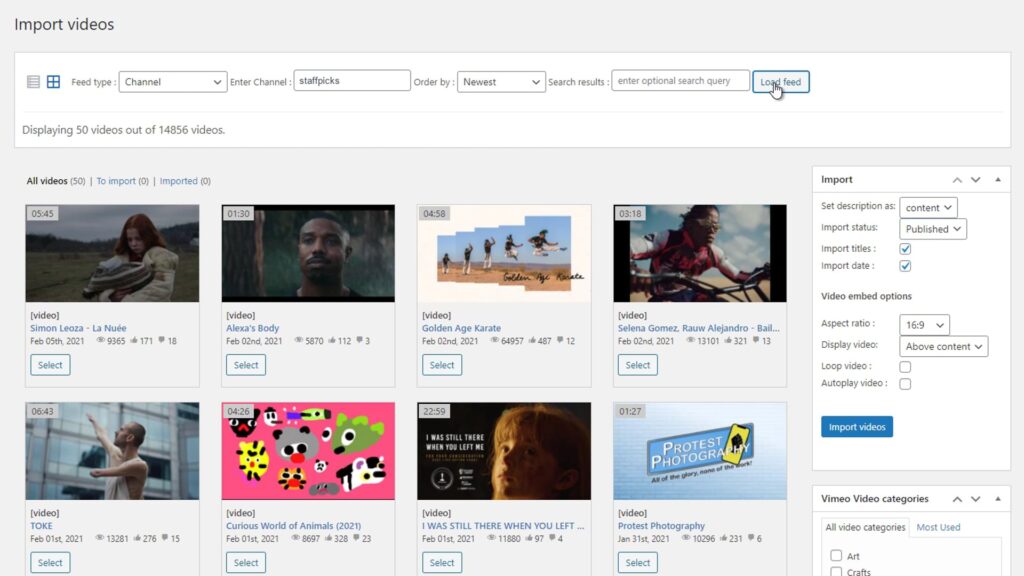
Vimeotheque uses the Vimeo /me endpoint to access your full video library and import everything into WordPress automatically.
All your Vimeo account videos are imported as WordPress posts with full metadata. Combine with auto-sync to keep the library current. Also import from specific folders or showcases for more targeted imports.
- Import all account videos in a single operation
- Create structured WordPress posts with full metadata
- Sync new videos automatically as they are uploaded
- Scale to libraries of any size
How to Import Your Vimeo Account into WordPress
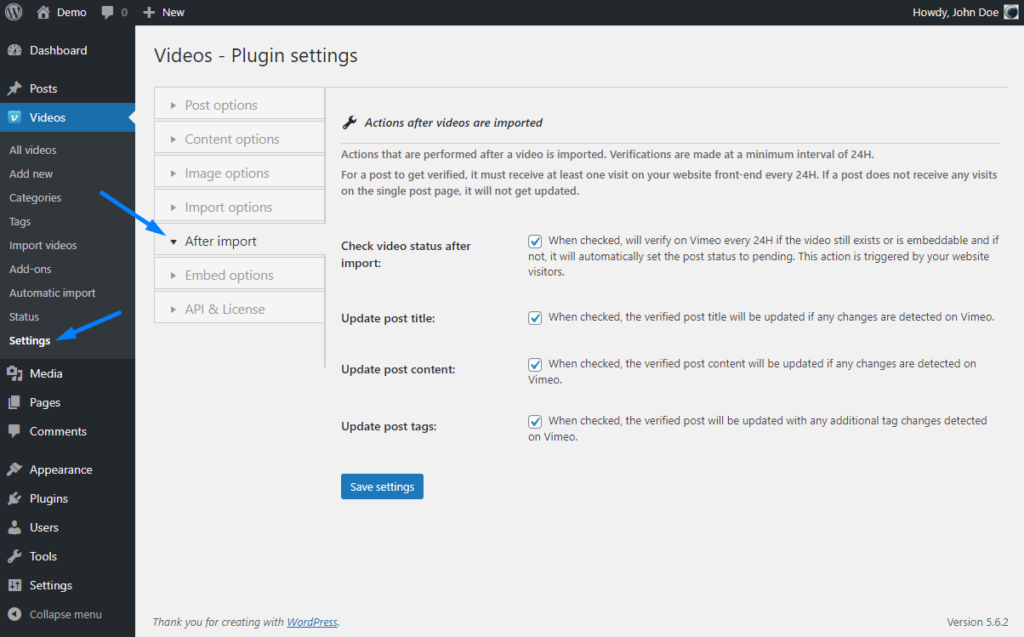
Vimeotheque connects to your Vimeo account and pulls all videos into WordPress automatically.
01
Connect your Vimeo account
Authenticate Vimeotheque with your Vimeo account via the API. The plugin gains access to your full video library.
02
Select your account as the import source
Choose the /me importer in Vimeotheque to target all videos on your personal Vimeo account.
03
Import and keep in sync
All videos are imported as WordPress posts. Enable auto-sync to add new uploads automatically going forward.
* Bulk import speed depends on your Vimeo API rate limits and server performance.
Who Should Use the Vimeo Account Importer
The /me importer is ideal for anyone migrating an existing Vimeo library into WordPress for the first time.
Video bloggers and creators
Import your entire Vimeo portfolio into WordPress as structured posts for better SEO and content management.
Agencies managing client libraries
Bulk import client Vimeo accounts into WordPress sites quickly without manual video-by-video work.
E-learning content creators
Pull your full Vimeo course video library into WordPress and organize it for LMS plugins.
What Gets Imported from Your Vimeo Account
Every video from your account is imported as a complete WordPress post with all available metadata.
- Video title and description
- Thumbnail image
- Tags and categories
- Duration and embed data
Manual Vimeo Library Import vs Vimeotheque
Manual approach
- Embed each video individually
- No structured post creation
- Metadata entered manually per video
- Not scalable for large libraries
Using Vimeotheque
- Bulk import entire Vimeo account
- Full metadata imported automatically
- Structured WordPress posts created
- Scales to any library size
FAQ: Importing Your Vimeo Account into WordPress
Common questions about bulk-importing Vimeo account videos into WordPress with Vimeotheque.
Can I import all videos from my Vimeo account at once?
Yes. Vimeotheque includes a /me importer that accesses all videos on your Vimeo account and imports them as WordPress posts.
Does the importer work with private Vimeo videos?
Yes, provided your Vimeo API application has permission to access private videos on your account.
Can new uploads be added automatically after the initial import?
Yes. Enable auto-sync after the initial import and new videos uploaded to your Vimeo account will be imported automatically.
How long does a full account import take?
Import speed depends on your library size and Vimeo API rate limits. Large libraries may take several minutes to complete.
Import Your Entire Vimeo Account into WordPress
Batch import all videos from your Vimeo account as structured WordPress posts — no manual work required.
Works with personal and business Vimeo accounts of any size.