
Using Vimeo with the VideoPro WordPress Theme
Import and display Vimeo videos on your VideoPro site using the Vimeotheque plugin — structured posts, galleries and auto-sync included.
Compatible with VideoPro • No coding required
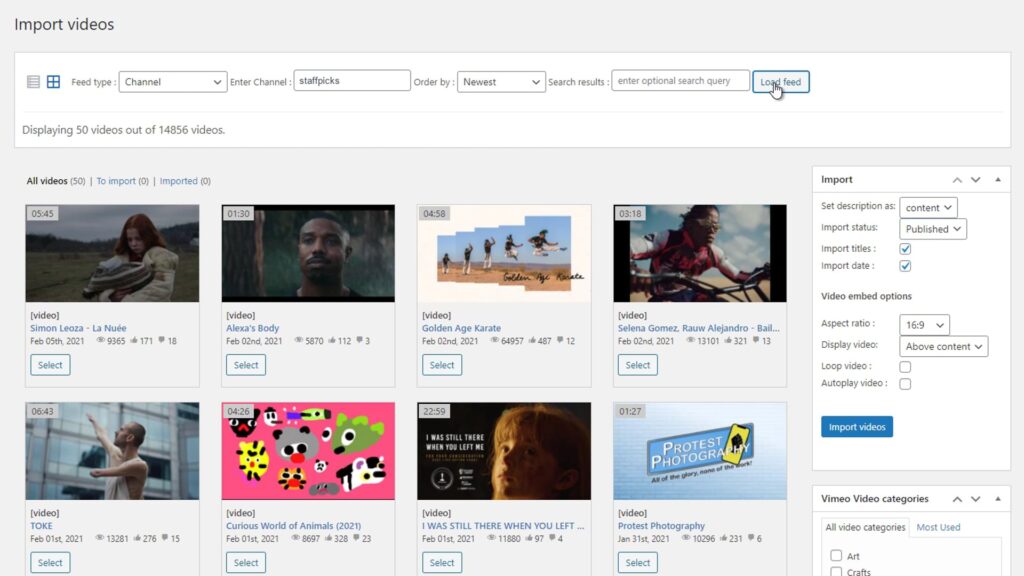
Problem
VideoPro Does Not Include Native Vimeo Import or Sync
The VideoPro theme is designed for video content, but it does not include a built-in tool for importing or syncing Vimeo video libraries at scale.
Without a proper import workflow, Vimeo videos must be added manually and kept up to date by hand.
- No Vimeo batch import in VideoPro
- Manual embedding for each video
- No auto-sync with Vimeo
- Hard to manage large libraries
Add Vimeo Import and Sync to Your VideoPro Site
Vimeotheque works alongside VideoPro to import Vimeo videos as structured posts and keep them synced automatically.
Imported video posts work natively with VideoPro layouts for video galleries. Enable auto-sync to keep your VideoPro library current. Also supports folder and showcase imports.
- Import Vimeo videos as WordPress posts
- Display in VideoPro gallery layouts
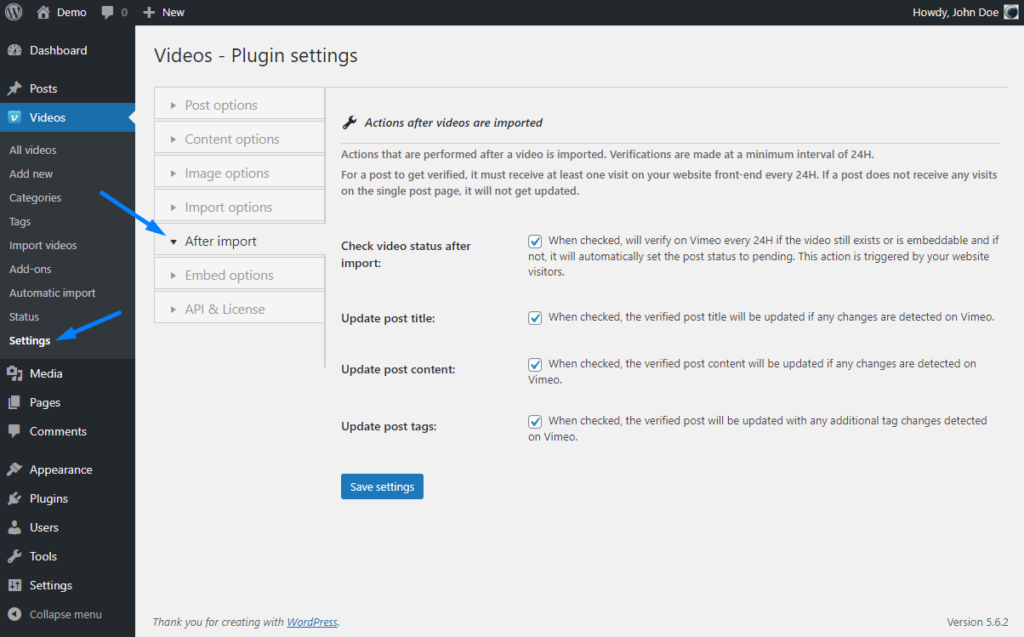
- Sync new Vimeo videos automatically
- Scale to any library size
How Vimeotheque Works with VideoPro
Vimeotheque imports videos into WordPress where they work natively with VideoPro post layouts.
01
Connect your Vimeo account
Authenticate Vimeotheque with your Vimeo account to start importing videos into your VideoPro site.
02
Import videos as WordPress posts
Each Vimeo video becomes a WordPress post with full metadata, compatible with VideoPro post layouts.
03
Enable auto-sync
New videos uploaded to Vimeo are imported automatically and appear in your VideoPro site without manual work.
* Vimeotheque works with any WordPress theme, including VideoPro.
VideoPro Use Cases with Vimeo Integration
Vimeotheque enables scalable Vimeo video management on any VideoPro-powered WordPress site.
Video news and media sites
Publish Vimeo video content as structured posts on a VideoPro news site with automatic import and sync.
Tutorial and course libraries
Build a structured video course library on VideoPro using automatically imported Vimeo content.
Video portfolio sites
Import your Vimeo portfolio into VideoPro as structured posts with galleries and dynamic layouts.
What Vimeotheque Adds to VideoPro
Vimeotheque gives VideoPro sites a complete Vimeo import and sync workflow without any custom code.
- Structured Vimeo posts for VideoPro
- Auto-sync with Vimeo account
- Gallery and playlist support
- Full video metadata on every post
Manual Vimeo Embedding in VideoPro vs Vimeotheque
Manual embedding
- Embed each video individually
- No automated updates
- No gallery structure from Vimeo
- Hard to maintain at scale
Using Vimeotheque
- Import full libraries automatically
- Auto-sync keeps content current
- Gallery-ready structured posts
- Scales to any library size
FAQ: Using Vimeo with the VideoPro Theme
Common questions about importing and managing Vimeo content on VideoPro WordPress sites.
Is Vimeotheque compatible with the VideoPro theme?
Yes. Vimeotheque imports Vimeo videos as standard WordPress posts, which are fully compatible with VideoPro layouts.
Can I auto-sync Vimeo uploads to my VideoPro site?
Yes. Auto-sync imports new Vimeo videos automatically on any WordPress theme, including VideoPro.
Can I display imported videos in VideoPro gallery layouts?
Yes. Imported video posts work with VideoPro video listing and gallery layouts.
Add Vimeo Import to Your VideoPro WordPress Site
Import and auto-sync Vimeo videos into VideoPro as structured posts — no manual embedding required.
Compatible with VideoPro and all standard WordPress video post types.