
A Vimeo Showcase is a curated, shareable collection of videos that you create on your Vimeo account. With Vimeotheque PRO, you can import the contents of a Vimeo Showcase into WordPress automatically and keep it in sync as new videos are added. This guide walks through the complete setup.
What Is a Vimeo Showcase
Vimeo Showcases let you group selected videos into a themed collection. Unlike Folders, Showcases can be made publicly accessible and have their own customizable landing page on Vimeo. They are often used for client presentations, course libraries, or curated topic collections. Vimeotheque PRO can import all videos from a Showcase into WordPress as individual posts.
[IMAGINE: Vimeo account “Showcases” screen listing several curated collections with names like “Product Walkthroughs”, “Case Studies”, and “Event Recordings”, each showing a video count and privacy status]
Requirements
- Vimeotheque (free) installed and configured with valid Vimeo API credentials
- Vimeotheque PRO with an active license
- OAuth authorization completed (required for accessing showcase contents via API)
Step 1: Authorize Vimeotheque to Access Your Vimeo Account
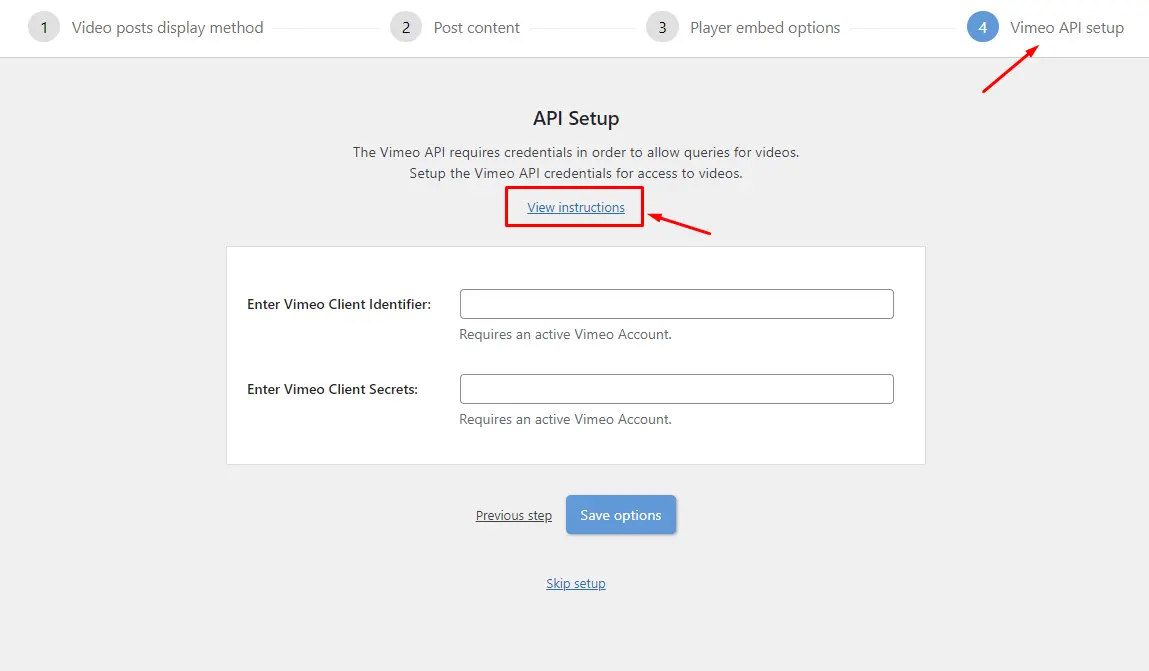
Showcase imports require an authorized connection. In Vimeotheque → Settings → API, click Authorize the plugin on Vimeo, complete the Vimeo consent screen, and return to WordPress. The plugin stores your access token automatically.
Step 2: Access the Showcase Importer
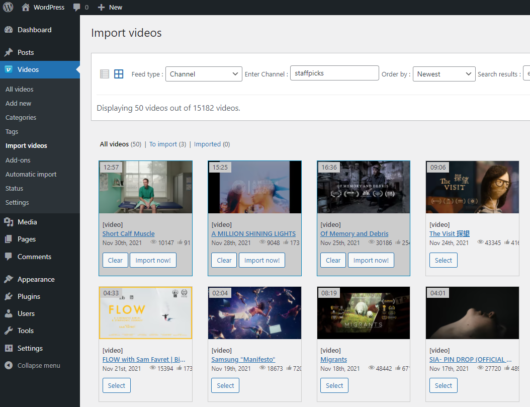
Navigate to Vimeotheque → Import Videos → Showcases. The plugin queries your Vimeo account and lists all available Showcases. Select the one you want to import from.
Step 3: Configure Post Import Settings
Before running the import, set how each video should appear as a WordPress post:
- Target post category
- Post status (publish or draft)
- Whether to import the Vimeo thumbnail as featured image
- Whether to populate the post content from the video description
Step 4: Run the Import
Click Import. Vimeotheque processes each video in the Showcase and creates a corresponding WordPress post. For Showcases with many videos, this may take a few minutes. The importer displays a progress counter and a log of imported videos.
Once complete, all imported videos appear in the Vimeotheque video post list in WordPress admin, ready to be displayed through galleries, playlists, or individual post templates.
Setting Up Automatic Showcase Sync
Manually importing a Showcase once is straightforward, but for sites where Showcases are updated regularly, the automatic importer in Vimeotheque PRO is the right solution. You can configure a scheduled import that checks the Showcase at a set interval and imports any new videos added since the last run.
This is particularly useful for educational platforms, corporate video portals, or any site where video content is added to Vimeo on a regular basis. The automatic Vimeo sync eliminates manual work and ensures your WordPress site always reflects the current state of your Vimeo Showcase.
For an overview of how all collection types — Folders, Showcases, and Portfolios — can be imported into WordPress at scale, see the main import hub.
Frequently Asked Questions
Can I sync multiple Vimeo Showcases into WordPress at the same time?
Yes. Vimeotheque PRO lets you create multiple automatic importer configurations, each targeting a different Showcase. They run independently on their own schedules.
What happens if I add a video to the Showcase on Vimeo after the initial import?
The next scheduled automatic import will detect the new video and create a corresponding WordPress post for it. If you are not using the automatic importer, you can manually re-run the Showcase import and only new videos will be added.
What is the difference between importing a Showcase and importing a Folder?
Showcases are curated public or semi-public collections. Folders are private organizational containers. Both can be imported with Vimeotheque PRO through similar interfaces, but they serve different organizational purposes on Vimeo.
Can I control which videos from a Showcase get imported?
The importer imports all videos in a Showcase. For selective import, use the individual video importer with specific Vimeo URLs, or manage the Showcase contents on Vimeo before importing.
Does removing a video from the Showcase on Vimeo unpublish it in WordPress?
No. Removing a video from a Showcase on Vimeo does not affect the corresponding WordPress post. You need to manually unpublish or delete the post in WordPress if you no longer want it visible on your site.